
✦
for the woman at her desk
✦
slow down and check in with yourself
✦ for the woman at her desk ✦ slow down and check in with yourself

The Sacred Pause
Your daily sanctuaryA soft daily companion that lives on your computer and holds the rhythms your planner can't — your cycle, the moon, the weather, your seven cups of self-care, your breath. One small, beautiful page.
$10–30 · Choose your price · One-time purchase · Works in any browser
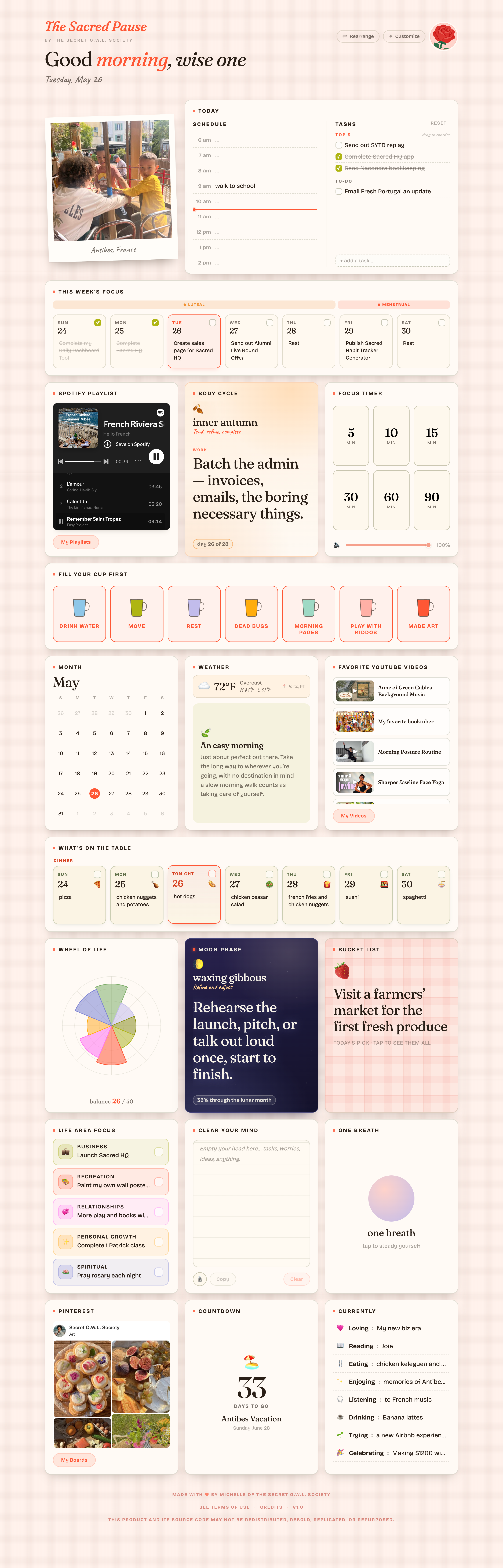
here's what your day looks like
FIRST THINGS FIRST
It doesn’t replace your planner. It sits beside it.
Your planner is ideal for .... The Sacred Pause is for the rhythms underneath. The Sacred Pause is the soft place that meets you before your planner asks you to perform.

✦
for the woman at her desk
✦
slow down and check in with yourself
✦ for the woman at her desk ✦ slow down and check in with yourself
1 / 18
NO FRICTION, NO FUSS
What it doesn't ask of you.
No account to create.
No password to remember.
No subscription to cancel.
No notifications nagging you.
No data leaving your device.
No streaks to maintain.
No app to download.
The Sacred Pause is one file that lives on your computer.
You double-click it, and it opens in your browser like any other page. There's nothing to sign up for, nothing to sync, nothing to keep up with. You open it when you want. You close it when you're done.
A NOTE FROM ME
Why I made this.
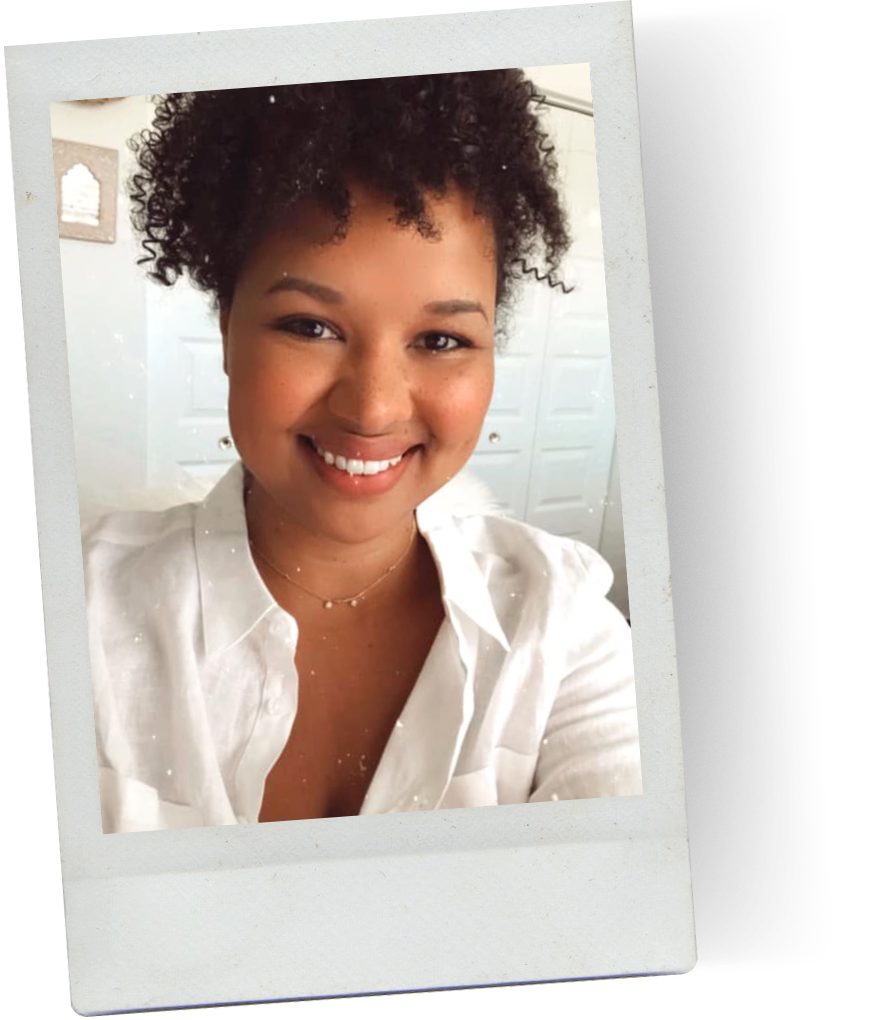
I built The Sacred Pause for the version of me who sat down at her desk every morning and didn't know where to start.
I had the planners. I had the productivity apps. I had the bullet journal with the perfect spread. And still — I'd open my laptop and feel that low, familiar dread of too much, all at once.
What I actually needed wasn't another tool to manage me. It was a place to land. Somewhere quiet to check in with myself before the day rushed in. Somewhere that asked me how I was, not what I'd accomplished.
So I made one. One page. Soft colors. The rhythms my old planners couldn't hold — my cycle, the moon, the weather, my breath, my seven little cups of self-care. The schedule on one side, the three things I actually cared about on the other.
It changed how my mornings felt. I'm hoping it does the same for yours.
— Michelle
✦
for the woman at her desk
✦
slow down and check in with yourself
✦ for the woman at her desk ✦ slow down and check in with yourself
just releasedPay what feels right.
Same planner at every tier. Same access. Same file. Pick the price that matches your moment.
thank you so much$21
I appreciate you!!$31
You're freaking amazing$41
The tier doesn't change the tool. It changes what you can give.
Questions & Answers
-
A single HTML file. You download it once, save it to your computer, and double-click to open. It launches in your browser — no installation, no setup, no account required. Bookmark it, pin it to your tab bar, or add it to your dock so it's always one click away.
-
No — and that's the whole point. The Sacred Pause is meant to sit beside your planner, not in its place. Your planner handles the structure of your day (appointments, deadlines, to-do lists). The Sacred Pause holds the rhythms underneath — your cycle, the moon, your breath, your daily check-in with yourself.
-
No account, no password, no login. The file lives on your computer, and you open it like any other page. There's nothing to sign up for and nothing to keep up with.
-
No subscription, no recurring charges, no auto-renewal. You pay once at the price you choose, and the file is yours forever.
-
All three tiers ($21, $31, $41) unlock the exact same Sacred Pause. The middle tier is the fair price — what it costs to build and keep this here for you. The other two give you room to choose lower or higher based on what feels right. There's no wrong choice.
-
Any device with a modern browser — laptop, desktop, tablet, phone. Most women I know open it on a laptop in the morning, but it'll happily live on your iPad or iPhone too. (It looks especially beautiful on a larger screen, where there's room for the full dashboard.)
-
Mostly no. Once you've opened it, the page works offline. The only pieces that need an internet connection are the weather widget and any Spotify, YouTube, or Pinterest embeds you choose to add. Everything else — your schedule, your check-ins, your notes — runs straight from your computer.
-
On your computer, in your browser's local storage. Nothing leaves your device. I can't see what you write, and neither can anyone else. There's no server, no database, no analytics tracking what you do inside the page.
-
Yes. The widgets are rearrangeable — drag them where you want them. You can hide any widget you don't use, swap in your own Spotify playlists, your own YouTube videos, your own Pinterest board, your own colors and tone. It's meant to feel like yours.
-
Yes. If I add new widgets, improve existing ones, or fix anything, you'll get the updated file — free, forever. I send a short note when an update lands so you know to grab the new version.
-
Because this is a digital file you keep forever, all sales are final. Look through this page and the dashboard preview before you buy. If you have questions first, email me — I'd much rather talk it through than have you regret the purchase.