Turn any PDF into gorgeous mockups to sell and showcase your product.
Turn any PDF into gorgeous mockups to sell and showcase your product.
Turn every page of your PDF into beautiful mockups in seconds.
In Canva, I had to make a mockup graphic for each page of my PDF, one at a time. It was eating up time I wanted for other things. So I built a tool where I style one mockup, and every page of the PDF gets a matching one automatically.
How it works
You style one mockup. The tool does the rest.
You style just one mockup
→
Every page gets a matching one
1
Drop in your PDF
Any planner, journal or workbook, up to 150 pages.
2
Pick your style once
Background, shadow, overlay. The mockup for each PDF page matches up automatically.
3
Save your favorite look
Reapply it on any future PDF in one click.
4
Download your mockups
Crisp mockup images, ready to sell and showcase your products.
Watch me style one mockup and get every page done.
Simple on purpose
One private link. Bookmark it and it is yours.
💸
Pay once
No subscription, ever.
🔒
Private
Your PDF never leaves your computer.
🚫
Doesn’t require AI
Your real pages, turned into mockups.
🔖
Nothing to install
No download and no account.
Is this for you?
Made for planner, journal and workbook makers.
This is for you if
✓You make planners, journals or workbooks.
✓Making mockups takes longer than making the product.
✓Your products have lots of pages, and you want them all to match.
All you need
✓A laptop or desktop computer.
✓Google Chrome.
✓A PDF of your product.
Kind words
From makers who use it.
Customer feedback ✓★★★★★
“This has come just at the right time for me. I am redoing my Etsy shop: changing my listing pics, researching and using different SEO, learning how to incorporate SEO into my listing description, and this has made my listing pictures so much easier. "Easy Peasy" is correct. So easy, and my pictures look great! Thank you.”
Customer feedback ✓★★★★★
“This is a really helpful tool! I’ve used it about 20 times this week as I’m building a portfolio of my graphic design and web design work.”
Ready when you are
Make your mockups in minutes.
On sale
Was $21Now $11
Your own private link to the tool. Bookmark it once and it is one click away for good.

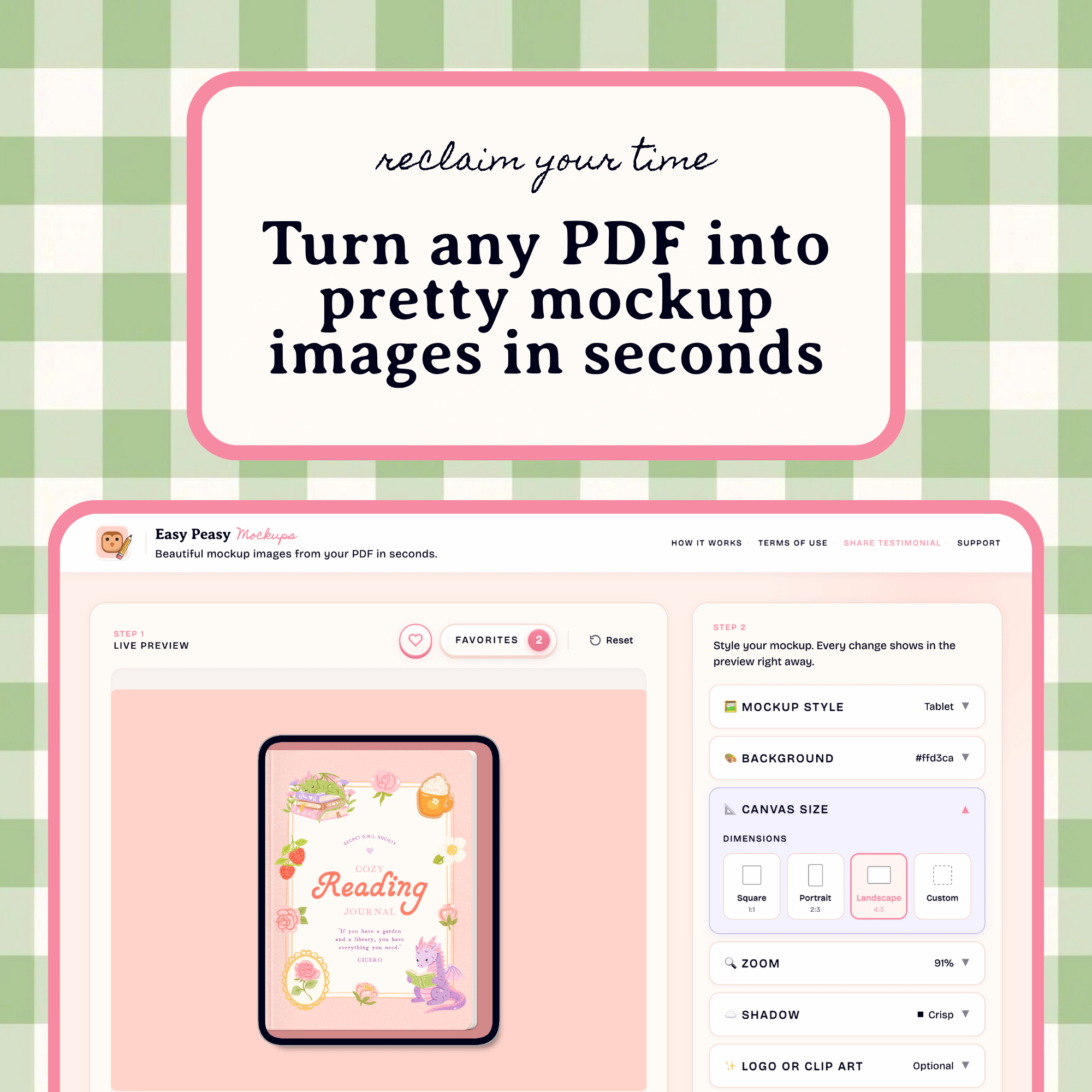 Image 1 of 1